
Download TikTok MP3
Fast and simple TikTok MP3 downloader to save audio, sounds, and music from TikTok videos in high-quality MP3 format.
Best TikTok Audio Downloader for Quick MP3 Downloads
Want to download TikTok MP3 without using a complicated tool? Our Indown TikTok audio downloader helps you save sounds, music, and voice clips from TikTok videos in a simple MP3 format.
It is built for users who want a clean, fast, and easy tool that works smoothly on mobile and desktop. Whether you want to keep a trending sound, save a short music clip, or download TikTok audio for personal use, this tool gives you a simple way to get the audio file you need.
You can also save TikTok profile pictures by using our free tool on this website.
How to Download TikTok MP3
Downloading TikTok audio is quick and easy. Copy the TikTok video link, paste it into the downloader, and save the audio as an MP3 file.
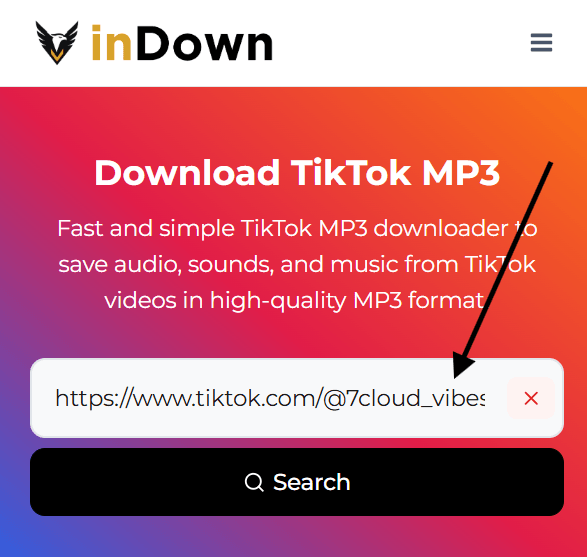
Step 1
Enter Video URL
Paste the TikTok video URL into the search box. Check that the link is valid so the tool can find the video.
Step 2
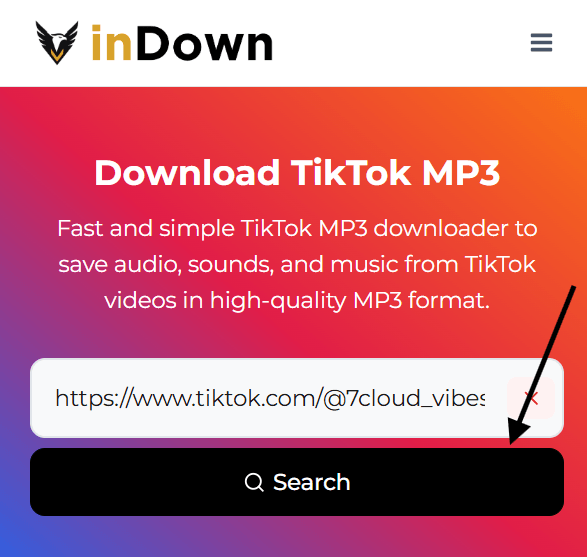
Click the Search Button
Click the search button to process the TikTok video link. The tool will check the video and prepare the audio file.
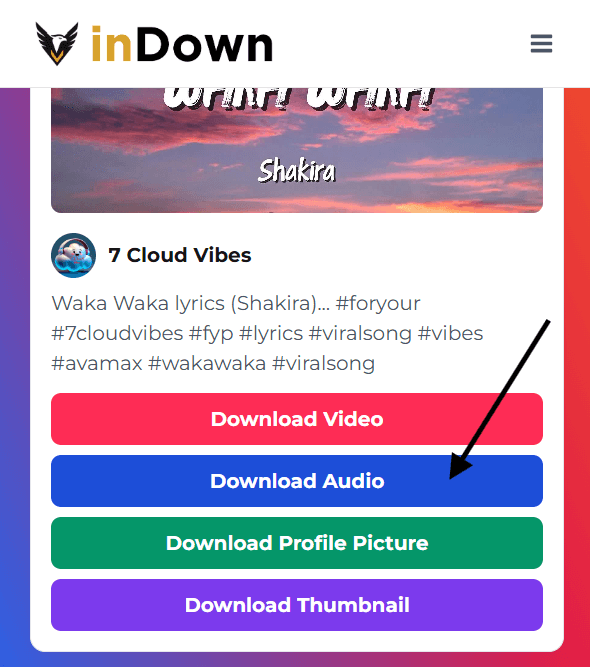
Step 3
Download Audio
Press the Download Audio button to save the TikTok audio as an MP3 file on your device.
Best TikTok to MP3 Converter Online
A good TikTok to MP3 converter should make audio saving simple, fast, and easy for every user. This tool helps you turn TikTok videos into MP3 audio without extra steps or app installation.
You can use it to save TikTok sounds, music clips, voiceovers, and short audio files for personal use. Just add the video link, process the file, and download the audio in MP3 format.
The tool works on mobile, tablet, and desktop, so you can download TikTok MP3 whenever you need a quick audio file from a TikTok video.
Must Try: Instagram Reels Downloader
Features of Our TikTok MP3 Downloader
Our TikTok MP3 downloader is built to make audio saving simple, fast, and easy for everyday users. You can convert TikTok videos into MP3 audio without installing an app or following confusing steps.
Easy TikTok Link Processing
Paste your TikTok video URL into the tool, and it will quickly read the link to prepare the audio. This makes it simple to start the TikTok to MP3 conversion process.
Fast Audio Conversion
The tool processes your TikTok video link quickly and converts the sound into MP3 format. You do not need to wait through a long or complicated process.
Download Audio in MP3 Format
After the audio is ready, click the Download Audio button to save the MP3 file directly to your device. This helps you keep TikTok sounds, music, and voice clips for personal use.
Works on Mobile and Desktop
You can use the downloader on your phone, tablet, laptop, or desktop. The tool works through your browser, so there is no need to install extra software.
Simple and Clean User Experience
The tool is designed with a clean layout and easy steps. Users can paste a link, search, and download audio without confusion.
No App Installation Needed
You can download TikTok MP3 online without installing any app. This keeps the process quick, simple, and easier to use on different devices.
Why Use TikTok to MP3 for Audio Downloads?
TikTok videos often include sounds, music clips, voiceovers, and short audio trends that users want to save for later. Using a TikTok to MP3 tool makes it easier to keep the audio without downloading the full video.
MP3 is a common audio format that works on most phones, tablets, laptops, and music players. It is lightweight, easy to store, and simple to play offline whenever you need it.
You can use downloaded TikTok audio for personal listening, content ideas, sound reference, or offline access. Always respect the original creator’s rights and only reuse audio when you have permission.
Viral Tool: Instagram Audio Downloader
TikTok Sound Downloader for MP3 Audio
Some TikTok videos are remembered more for their sound than the video itself. A short dialogue, remix, voice clip, or background track can become useful when you want to listen again without opening TikTok every time.
With a TikTok sound downloader, you can save TikTok sound as an MP3 file and keep it separate from the full video. This makes it easier to manage your favorite audio, organize sound ideas, or listen offline when needed.
If you want to download sound from TikTok or save a TikTok sound MP3 for personal use, this section explains why an audio focused tool is more useful than saving the complete video. Always respect the original creator’s rights before reusing any downloaded sound.
Download TikTok Audio from Videos
Many TikTok videos have audio worth saving, even when you do not need the full video. It could be a short voice clip, background sound, music part, or trending audio that you want to keep for later.
With this tool, you can download TikTok audio from videos and save it as an MP3 file for personal use. This makes the audio easier to store, replay, and manage without keeping large video files on your device.
A TikTok audio download option is useful for users who want quick access to sounds they like while keeping their files simple and lightweight.
Must Try: IG Downloader