
Download TikTok Profile Picture
Fast and easy TikTok profile picture downloader for HD images
A TikTok profile picture is the small image that represents a user’s account. It is the first visual element people notice when they open someone’s profile. However, inside the TikTok app, this image appears in a very small size, making it difficult to view the full details clearly.
Many users want to download TikTok profile pictures for different personal reasons. Some people save them for reference, some use them as contact profile images, and others simply want to view the picture in better quality. Since TikTok does not provide a direct option to save profile photos, users often look for alternative solutions.
A TikTok profile picture downloader makes this process very simple. You just copy the profile link, paste it into the tool, and click the download button. Within seconds, the tool fetches and saves the original high-resolution image directly to your device.

How to Download a TikTok Profile Picture
Downloading a TikTok profile picture is quick and simple. Copy the TikTok profile link, paste it into the downloader tool, and instantly save the profile picture in high quality to your device.
Step 1
Enter Profile URL or username
Paste the TikTok profile URL or username into the search box. Check that the link is valid so the tool can find the Tiktok PFP.


Step 2
Click the Search Button
Click the search button to process the TikTok profile link. The tool will analyze the profile and load the profile picture for download.
Step 3
Download Profile Picture
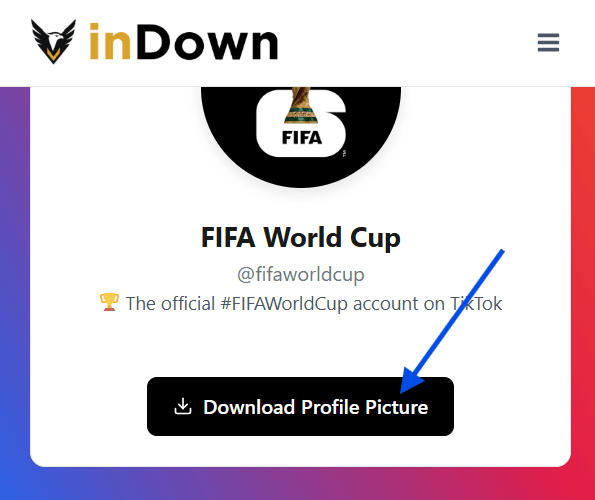
Press the Download button to save the TikTok profile picture in high quality directly to your device.
Why Use a TikTok Profile Photo Downloader
The TikTok profile photo downloader by inDown lets you easily view and save profile pictures in their original, high-quality resolution. On TikTok, profile images are displayed in a very small size, making it impossible to zoom in or see clear details. With this tool, you can instantly open and download the same profile photo in full resolution without any loss of quality.
This is especially helpful if you want to save TikTok profile pictures for personal use, such as keeping memories, using them as contact photos, or collecting images you like. There’s no need to install any extra apps or software, so the whole process stays fast, simple, and hassle-free.
The tool also works smoothly across all devices. Whether you’re using a desktop browser like Chrome, Safari, or Firefox, or accessing it from a mobile phone on Android or iOS, you can download TikTok profile pictures anytime, anywhere.
Must Try: TikTok MP3 Downloader
Key Features of a TikTok Profile Picture Downloader
Our TikTok profile photo downloader is designed to make viewing and saving profile pictures simple, fast, and hassle-free for everyday users. You can instantly access and download TikTok profile images in full quality without installing any app or going through complicated steps.
High-Quality Downloads
Save TikTok profile pictures in original, full resolution without losing clarity.
Instant Viewing
Quickly open any TikTok profile photo in full size within seconds.
No App Installation Required
Works directly in your browser without downloading any software or extensions.
Works on All Devices
Fully compatible with mobile, tablet, and desktop devices.
Simple Copy & Paste Process
Just paste the TikTok profile URL or username and get instant results.
Free and Easy to Use
No registration or payment required, making it accessible for everyone.
TikTok Photo Downloader vs TikTok Video Downloader
A TikTok profile picture downloader (also called a TikTok PFP downloader) and a TikTok video downloader are two different tools, each designed for a specific purpose.
A profile picture downloader is used to view and save TikTok profile images in high quality. Since profile photos appear very small inside the app, this tool helps you open them in full resolution so you can clearly see details and save them if needed for personal use.
A video downloader, on the other hand, is made for saving TikTok videos. It allows you to download videos directly to your device so you can watch them offline or keep them for later use, sometimes even without a watermark depending on the tool.
When to Use Each
- If you only want to see or save a profile image in better quality, use a profile picture downloader.
- If you want to save or watch TikTok videos offline, then a video downloader is the right choice.
- Both tools serve different needs, so the best option depends on whether you’re saving an image or a video.